

You don't need a £1,000 camera to film your five-a-side. Two phones strapped to the fence at halfway, one pointing at each goal, will catch every goal, nutmeg and air shot worth bringing up in the group chat. It's exactly how I film our own games, and it costs about £16 in kit.
What's the best way to film five-a-side on your phone?
Use two phones on the fence at the halfway line, one aimed at each goal. Each phone only has to cover its own half, so both ends stay close enough to see who actually scored.
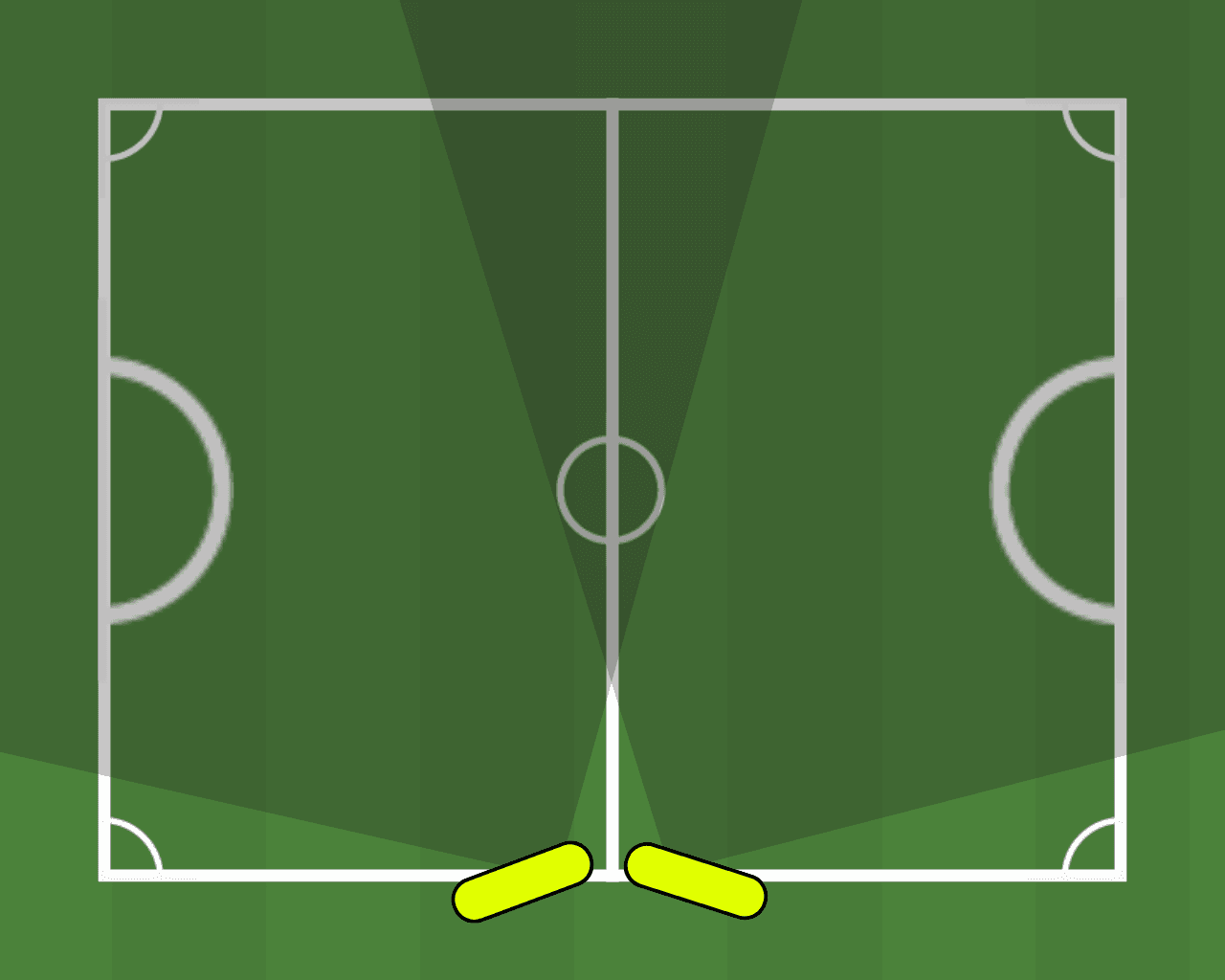
Two phones is the best setup, but one works too. Put a single phone in a corner and it tracks goals at both ends. Aim it at one goal if you're happy with highlights from that half only. Or put it on a ball-tracking tripod and it works as normal.
| Setup | What you get | Watch out for | Use it when |
|---|---|---|---|
| Two phones at halfway, one per goal (recommended) | Both goals close up, highlights from both ends | The middle, where the two views meet | There's a fence at halfway. Most cages have one. |
| One phone in a corner | Goals tracked at both ends from one phone | The far end is further away | You've only got one phone |
| One phone aimed at one goal | Close-up highlights from that end | Nothing from the other half | You only care about one end |
| One phone on a ball-tracking tripod | The camera follows play across the pitch | You need the tripod and somewhere to stand it | You already own one |
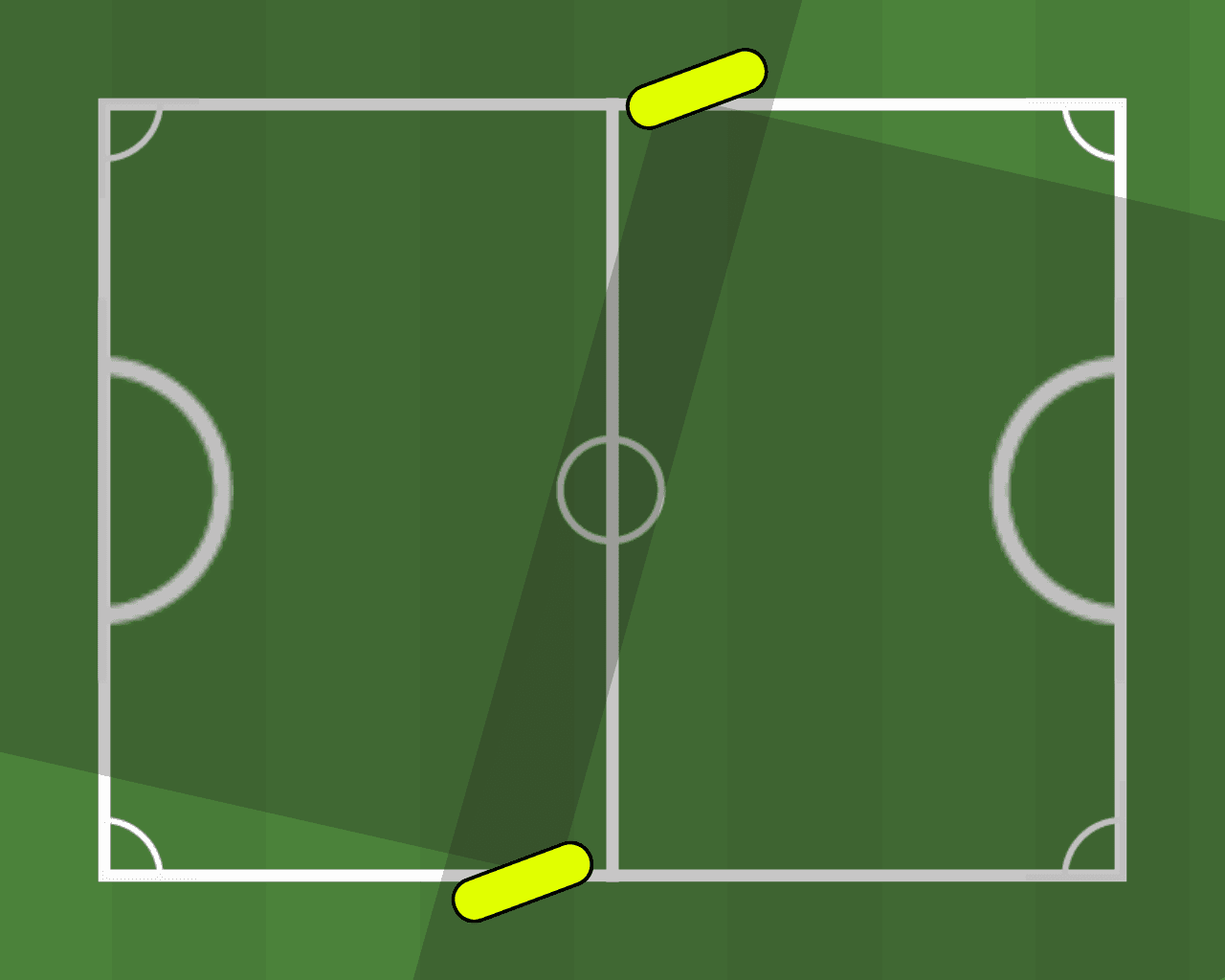
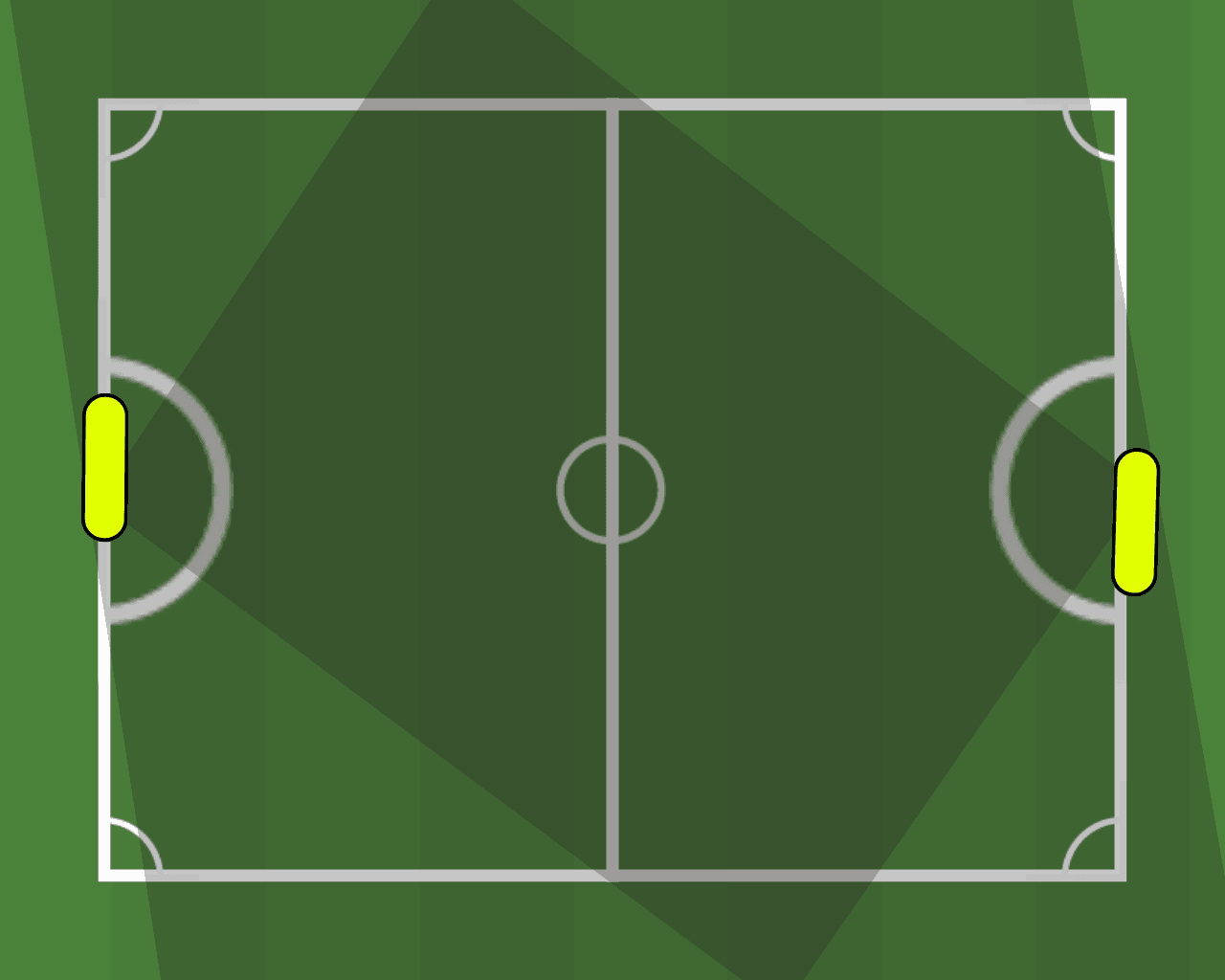
What if you can't use the fence at halfway?
Halfway is the best spot, but it isn't always free. Two other layouts can still cover the pitch. Only use positions that are secure and that the venue is happy with, and check them with a test clip first.
What kit do you need?
Less than you'd think.
- Two phones, or one if that's all you've got. Yours and a mate's is fine. Clear some storage and charge them before you leave the house.
- Fence mounts. I use cheap phone holders from Amazon, about £8 each. They come with hooks and a bungee cord that straps the holder to the fence.
- A tripod if there's nothing to strap to, which is common at futsal courts and on open grass.
- The Pitchside app if you want highlights and stats (it's in private beta). Any camera app works if you just want the footage.
- A power bank if you're playing for longer than an hour.
- Picking sides on the night? Pick the teams first.
No expensive camera, no subscription, no laptop.
Some of these are affiliate links. If you buy through them, Pitchside may earn a small commission at no extra cost to you.
How do you set it up?
The whole thing takes about five minutes before kick-off.
- 1. Check it's OK to film. Make sure the venue is happy for you to film and to strap kit to the fence, and that everyone playing knows they're on camera. Our recording consent guide covers the details.
- 2. Prep the phones. Free up storage, charge them, wipe the lenses and turn on Do Not Disturb so a call doesn't stop the recording.
- 3. Strap both holders to the fence at the halfway line. Go a little over head height, so fewer bodies get between the phone and the action. Keep them on the outside of the cage and tight enough that a ball smashed into the fence won't knock them off.
- 4. Aim one phone at each goal. Both in landscape. Each phone should show its whole goal and the half in front of it, with a bit of overlap in the middle.
- 5. Pair the phones in the Pitchside app. This tells the app both phones are filming the same game.
- 6. Record a 10-second test and watch it back. Check both goals and the corners are in shot and nothing's blocking the lens.
- 7. Hit record before kick-off. Then leave them alone and play.
What happens to the footage?
In the Pitchside beta, the app matches up both recordings using their timestamps. It then stitches the highlights from each end into one timeline, in the order they happened. So a goal at your end and the equaliser at theirs play back in the right order, not as two separate videos.
Pitchside is built to pick out goals, assists, saves and tackles, which are still being tested in the beta. Processing can take up to 45 minutes, depending on the upload. Then the clips are yours for the group chat.
Personal stats and leaderboards are planned for launch. That's when the top-scorer argument finally gets settled with numbers. Until then, here's which stats matter in five-a-side.
How do you film futsal or indoor five-a-side?
Use a tripod. Futsal courts and sports halls rarely have a fence to strap to, so set the phones up on a tripod the same way: at halfway, a little over head height, one per goal.
- Tripod (usually the best option): stand it behind the halfway line, outside the court and clear of the benches and walkways.
- Balcony or gallery rail: some sports halls have one above the court. It gives you height and keeps the phones away from the ball. Ask before you strap anything to it.
- Lighting: sports hall lights can make phone footage darker than you expect. Your test clip will show you.
What about 7-a-side, Sunday league and park games?
On open grass there's usually nothing to strap a phone to, so use a tripod or a solid post outside the pitch. Keep it clear of the touchline and anywhere people walk. The bigger the pitch, the more each phone has to cover, so put them as high as you safely can.
Pitchside's beta supports games up to 7-a-side. You can still film an 11-a-side Sunday league game this way for your own highlights reel. Pitchside just won't turn it into stats yet.
What gets in the way of a good recording?
Check your test clip for these:
- Players standing right in front of the phone
- Action disappearing into a far corner
- Netting, posts or fence bars across the lens
- Subs and spectators walking past
- Sun glare, or rain on the lens
- Too much zoom (leave it at 1x)
- The mount slipping after a ball hits the fence
Before kick-off checklist
- Venue's OK with filming and with kit on the fence
- Everyone playing knows they're being filmed
- Phones charged, storage cleared, lenses wiped
- Do Not Disturb on
- Both phones in landscape, one per goal
- Mounts tight and outside the playing area
- Test clip recorded and watched back
- Phones paired in the Pitchside app
Is Pitchside making its own phone mount?
Yes. A double-phone mount that holds both phones at halfway is in development. Until then, the £8 holders do the job.
Start Free, record more with Paid
Pitchside's planned Free launch tier includes Match Stats & Highlights, Leaderboards, Personal Stats and one recording per month. Paid adds Personal Clips and increases the allowance to one recording per week.
Free
Start with core match output and one recording per month.
1 recording per month
Paid
DefaultRecord more often and unlock Personal Clips when paid subscriptions launch.
£4.99 weekly | £12.99 monthly | £99 annually | £8.25/month equivalent on annual billing
1 recording per week
Subscriptions are not purchasable yet. Phones, mounts, data costs, regional taxes and physical accessories are separate.
Frequently Asked Questions
Do I need a special camera to film five-a-side?
Is one phone enough?
Can I strap a phone to the netting?
How do I sync footage from two phones?
How long does it take to get highlights?
Can I film an 11-a-side Sunday league game?
Your five-a-side deserves highlights too.
Pitchside turns two phones on a fence into clips, stats and something to wind your mates up with. It's in private beta now.
Get early access